Update links
An update link lets a client or colleague without a monday.com account update one existing item. They open the link, see your form filled in with the item's current answers, change what's needed and save. Use it to ask for a missing detail, a correction or the next part of a record, instead of an email thread.
Update links need the Pro plan.
Open the Update links tab
Click New update link. You need at least one form on the board first.
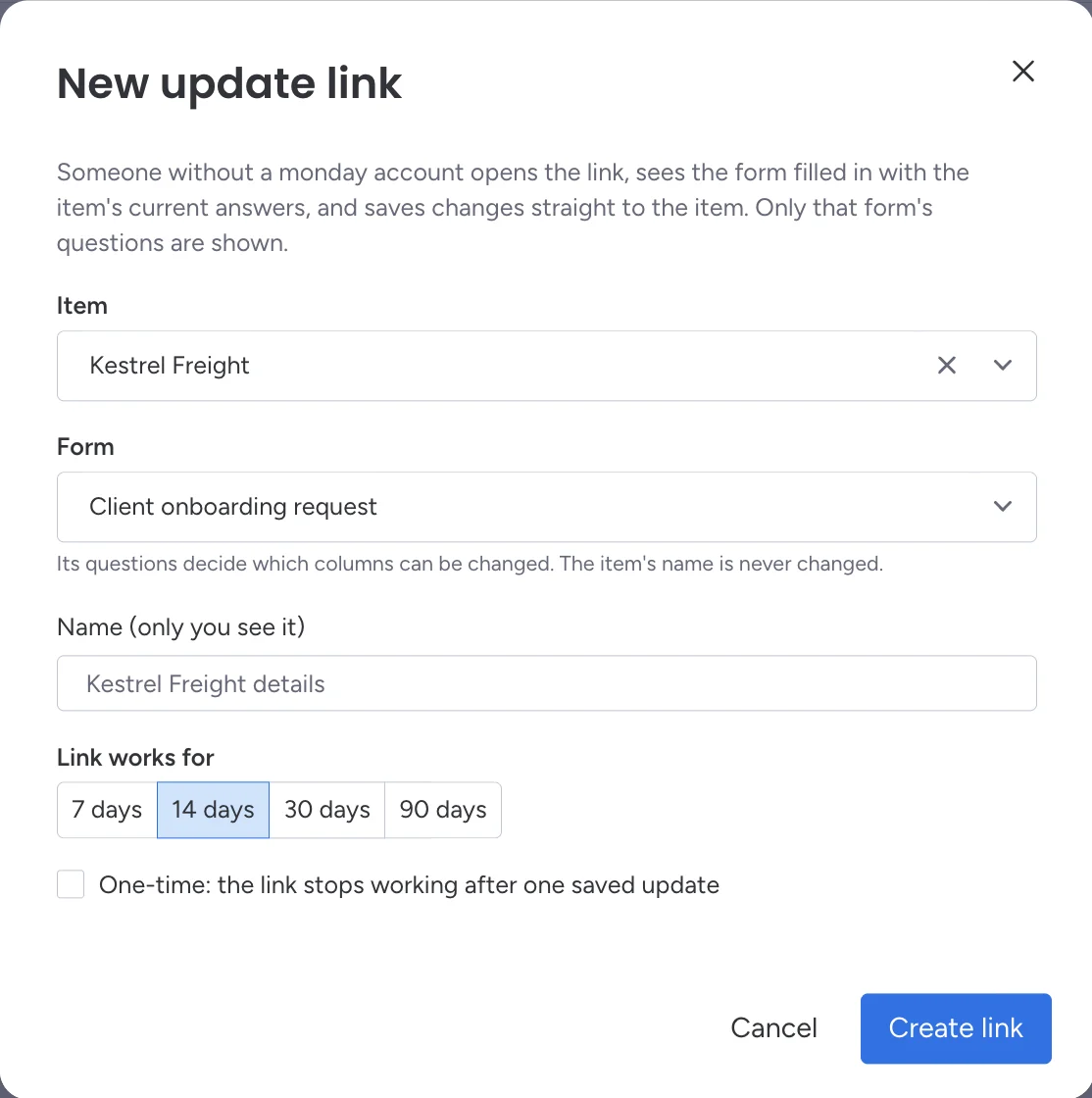
Choose the item and the form
- Item: search the board's items.
- Form: the form's questions decide which columns can be changed. The item's name is never changed.
- Name (only you see it): a label for your list, such as "Kestrel Freight details".
Choose how long it works
Pick 7, 14, 30 or 90 days. Tick One-time if the link should stop after one saved update.
Create and send it
Click Create link, then Copy link and send it however you like.
What the other person sees
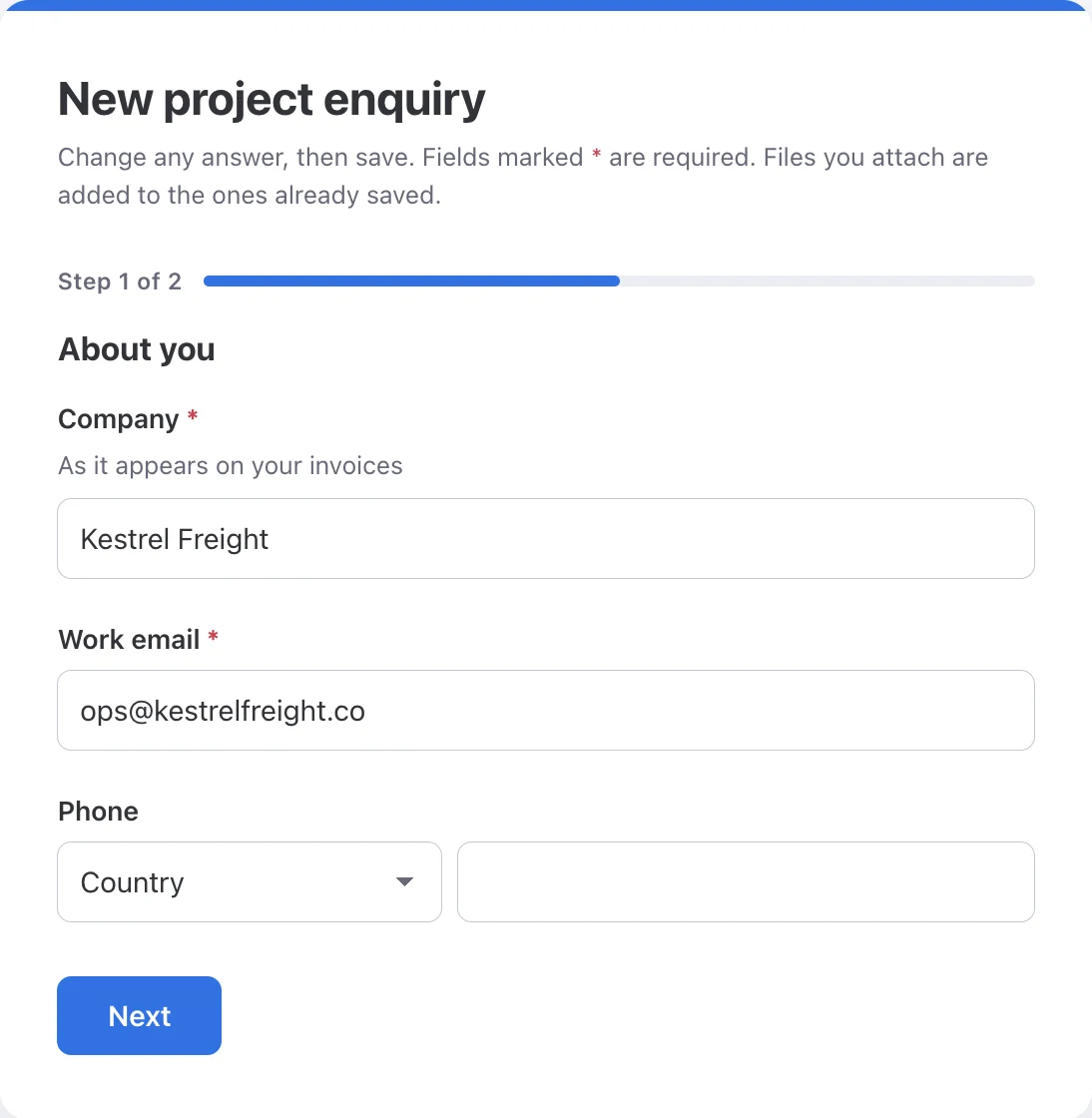
The same form, without the Name question, filled in with the item's current answers. The button says Save changes.
What gets saved
- Only changed answers. Everything else on the item stays as it was. Clearing an answer clears that column.
- Files are added, never replaced or removed.
- The item's name never changes.
- The change is saved with your access, so monday.com's activity log shows your name.
- The link covers the form's questions as they were when you made it. Editing the form later can take questions away from an existing link, but never adds new ones.
If nothing changed, the person sees "Nothing had changed, so nothing was saved." Each save that changed something counts as one response toward your plan.
Manage your links
The Update links tab lists each link with its status (Live, Expired or Used), its item and form, when it expires, and how many times it was used. From each row you can Copy link, or use the ⋯ menu to Open link or Turn off link. Turning a link off stops it straight away; changes already saved stay on the item.
Deleting a form deletes its update links. Links that expired more than 30 days ago are cleared out the next time someone in your account makes a new link.
Update links and form links are different
| Form link | Update link | |
|---|---|---|
| What it does | Creates a new item | Changes one existing item |
| Expires | No (works until the form closes or is deleted) | Always, after 1 to 90 days |
| Plan | Every plan | Pro and above |